Hello, I'm 8ayac 🐝 This post contains writeups for the three challenges I created for ISC BugHunt101 CTF 2020. All three are Web challenges.
What was ISC BugHunt101 CTF 2020?
ISC BugHunt101 CTF 2020 was a private CTF for students at my school. I recently had the opportunity to teach an online course on introductory bug hunting for those students, and held the CTF as part of it. The course lasted 400 minutes in total, with the last 100 minutes set aside for students to form teams and try the CTF. I think most participants had never encountered a CTF before.
Challenge repository
The source code and configuration files for the challenges are available below. They can be deployed locally, so feel free to use them if you would like to try solving the challenges yourself.
https://github.com/8ayac/iscbughunt101ctf
[Web Easy (17/40teams solved)] SQLi101
Challenge description
Can you login?💉

http://sqli101.chall.8ayac.com/

Attachment: app.py
Overview of the challenge application
Reading the supplied app.py gives the following summary of the application's features.
GET /: Home pagePOST /login: Login- Performs login using the value of the POST parameter
password. - On success, sets the session value
flagto the flag.
- Performs login using the value of the POST parameter
GET /logout- Deletes the session value
flagand navigates to the home page.
- Deletes the session value
GET /admin- Displays the session value
flagif it is set. - Otherwise, navigates to the home page.
- Displays the session value
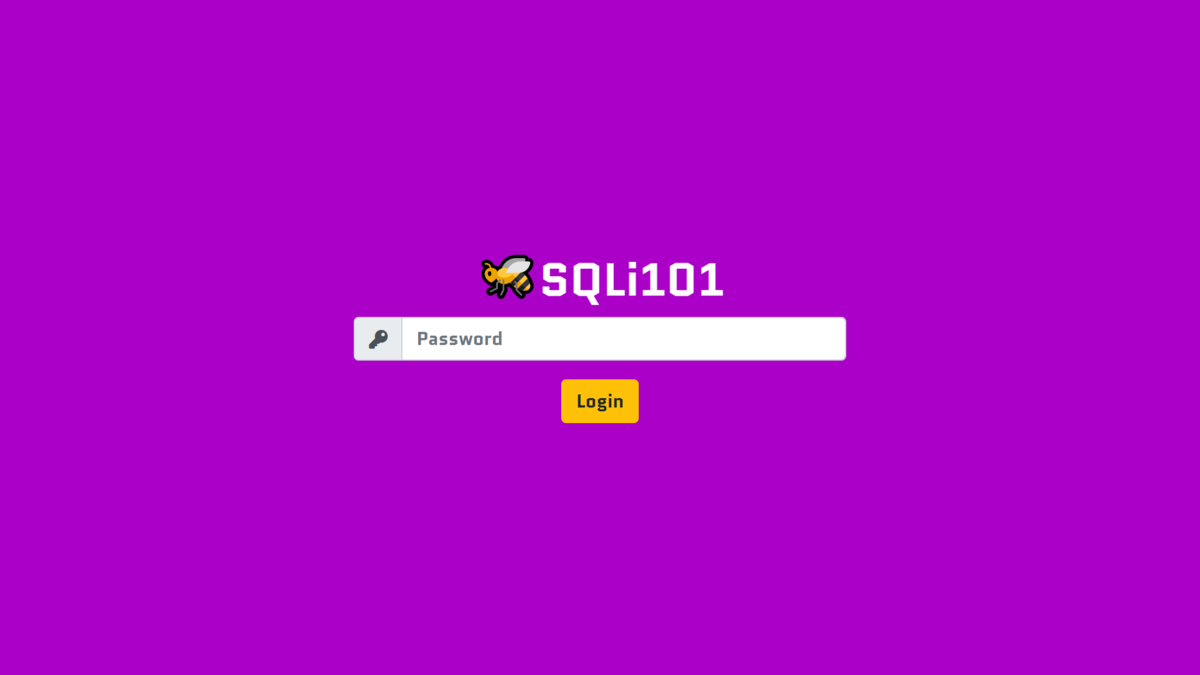
Opening the challenge's home page shows the following login page.
Identifying the goal
From the application's features, it appears that logging in successfully will reveal the flag.
The source code shows that login uses the is_admin function.
@app.route('/login', methods=['POST'])
def post_login():
    password = request.form['password']
    if is_admin(password):
        session['flag'] = os.environ.get('FLAG')
        return redirect(url_for('get_admin'))
    else:
        return redirect(url_for('get_index'))
The is_admin function is as follows.
def is_admin(pw: str) -> bool:
    conn = MySQLdb.connect(
        host='db',
        user=os.environ.get('MYSQL_USER'),
        passwd=os.environ.get('MYSQL_PASSWORD'),
        db=os.environ.get('MYSQL_DATABASE')
    )
    cursor = conn.cursor()

    try:
        stmt = f'SELECT * FROM users WHERE username="admin" AND password="{pw}";'
        cursor.execute(stmt)
    except MySQLdb.Error as e:
        abort(500, description=repr(e))
    finally:
        conn.close()

    return cursor.rowcount > 0
It appears that login succeeds if running the SQL statement SELECT * FROM users WHERE username="admin" AND password="{pw}"; returns at least one record.
Knowing the correct password would let us log in simply by entering it, but it has not been provided.
We therefore seem to need another way past this login process.
The goal, then, appears to be making the login succeed without entering the legitimate password.
Solution
In POST /login, the final SQL statement is built by inserting the value of the POST parameter password into a base statement using an f-string (see line 53 of app.py).
This makes SQL injection effective.
For example, we can supply password so that the resulting statement is SELECT * FROM users WHERE username="admin" AND password="" OR "a"="a";.
The condition in the WHERE clause is always true because of OR "a"="a".
The query therefore returns all records in the users table, and login succeeds.
Entering " OR "a"="a in the login form and pressing the login button displays the flag as follows.
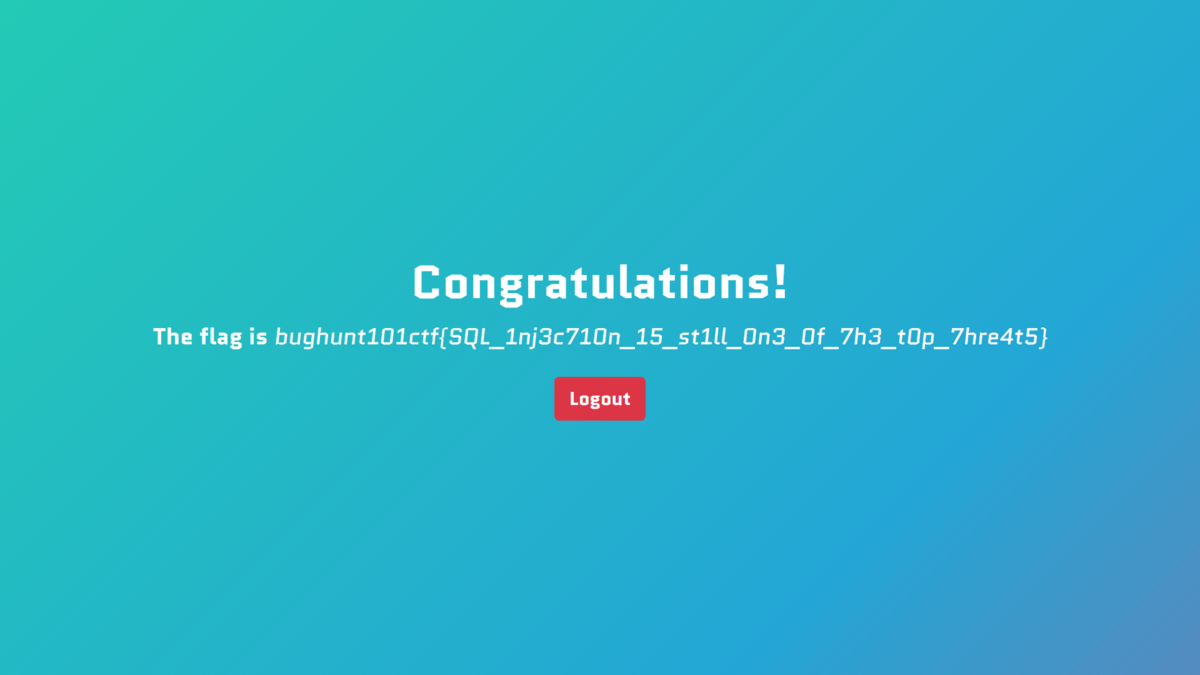
Flag
bughunt101ctf{SQL_1nj3c710n_15_st1ll_0n3_0f_7h3_t0p_7hre4t5}
Afterword
This was a SQL injection challenge of the kind often seen in beginner CTFs.
[Web Medium (3/40teams solved)] BuggyBase2
Challenge description
Do you remember another BuggyBase?🤔

http://buggybase2.chall.8ayac.com/

Attachment: app.py
Overview of the challenge application
First, let's look at the home page.
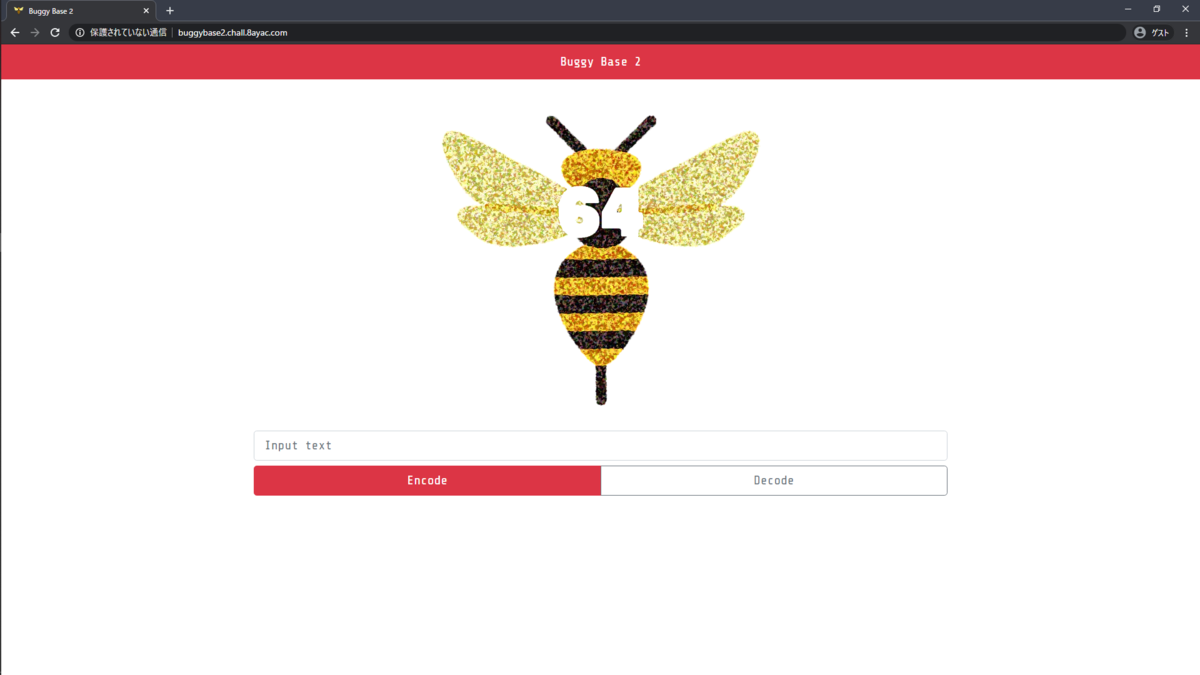
Entering hoge in the form and clicking Encode outputs its Base64-encoded value.
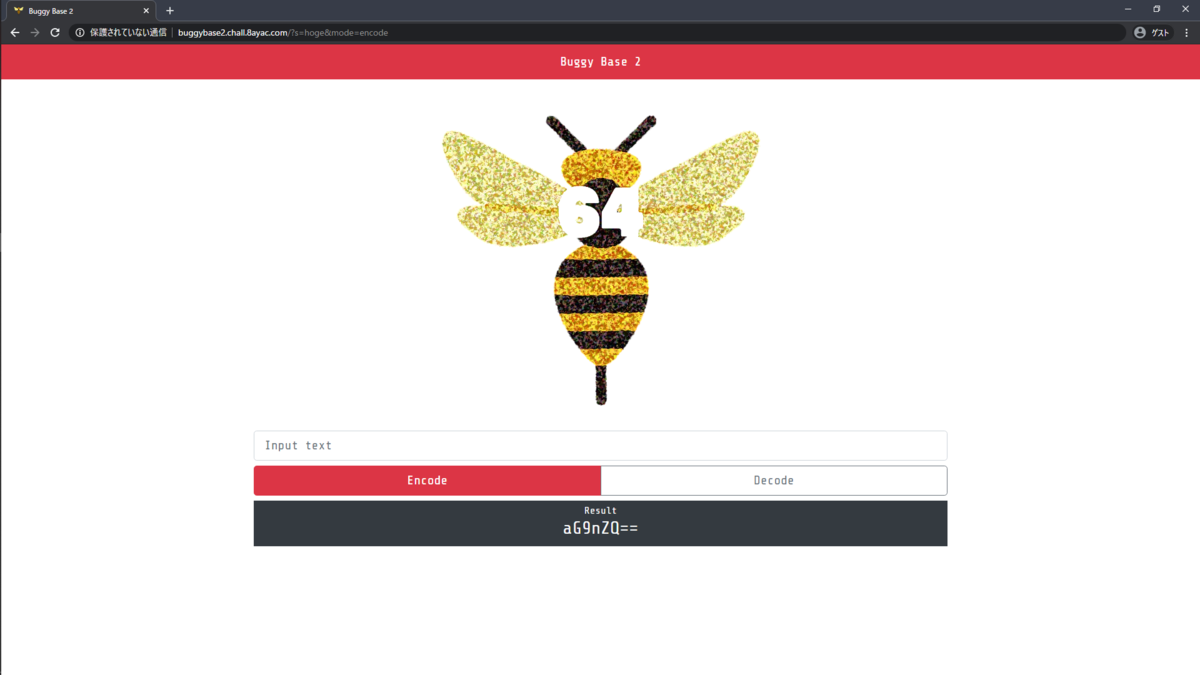
Putting that output back into the form and clicking Decode outputs hoge.
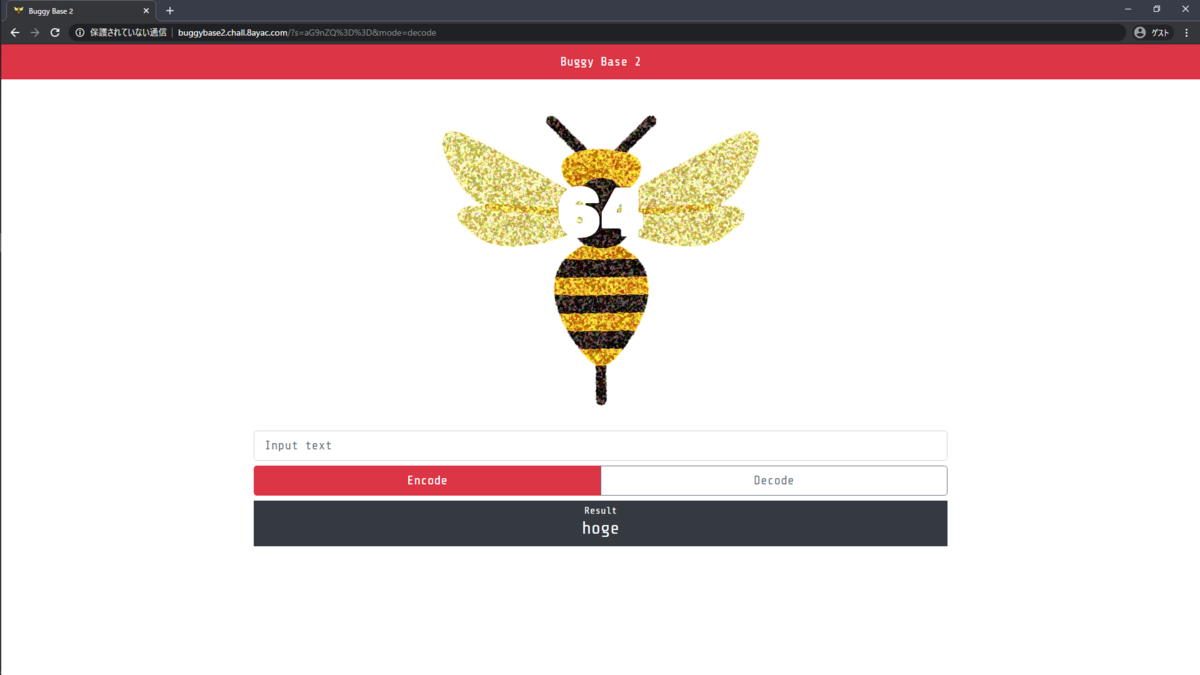
It appears to be an application for Base64-encoding and decoding arbitrary strings.
Reading the supplied app.py gives the following summary of its features.
GET /: Home page- Base64-encodes or decodes the GET parameter
saccording to the GET parametermode. - Redirects to the home page if
modeis not specified. - Displays an error page if
modeis anything other thanencodeordecode.
- Base64-encodes or decodes the GET parameter
Identifying the goal
The source does not tell us where the flag is, so let's start by looking for a vulnerability we might be able to use.
In GET /, the source shows unsafe use of render_template_string in the branch that handles values of mode other than encode or decode.
@app.errorhandler(500)
def internal_server_error(e):
    mascot = random.choice(list('🐌🐛🦟🐜🐝🐞🦂🦗🦋🕷'))  # just choose a mascot
    return render_template_string(f'{mascot} < {e.description}'), 500
The string supplied by the user in the GET parameter mode is included in {e.description}.
This can be seen in lines 20–21 of app.py.
if mode not in ['encode', 'decode']:
    abort(500, description=f'invalid mode ({mode=}) specified')
This suggests that the feature may be vulnerable to XSS and SSTI. XSS does not seem particularly useful here, so trying RCE (Remote Code Execution) through SSTI looks more promising. There may be a file containing the flag somewhere on the server.
For now, achieving RCE through SSTI seems like a reasonable goal.
Solution
For example, replacing ★ in {{cofig.__class__.__init__.__globals__['os'].popen(★).read()}} with an OS command causes the server to run that command and display its output.
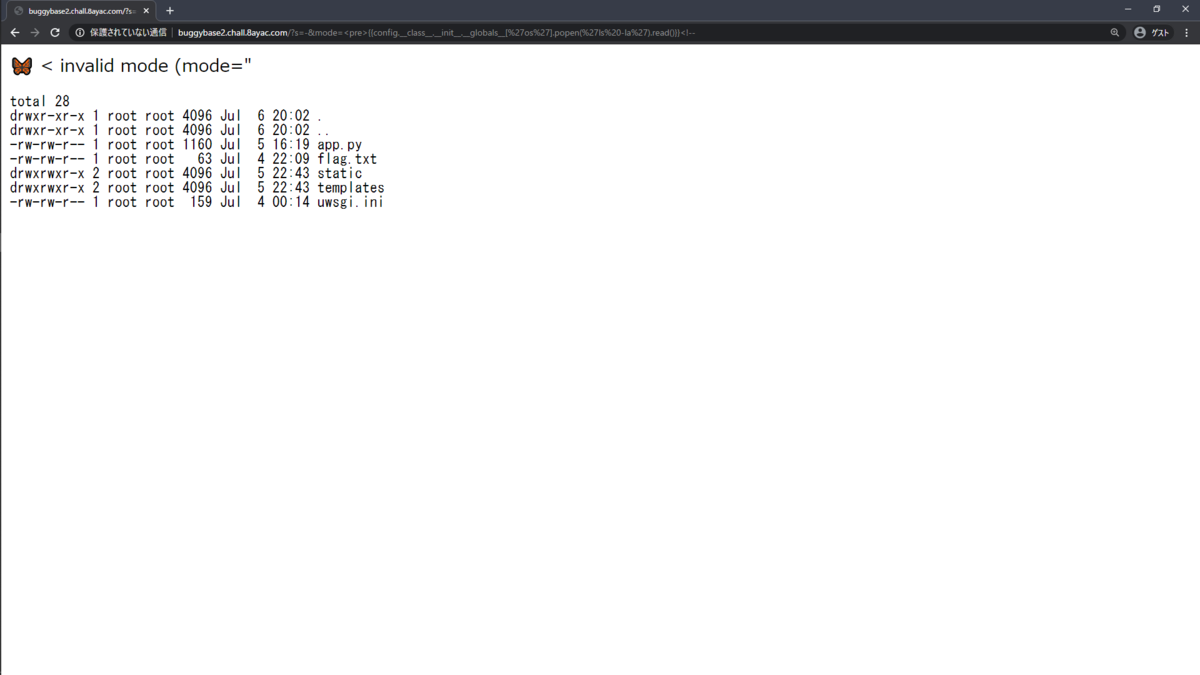
Running ls -la reveals a file named flag.txt.
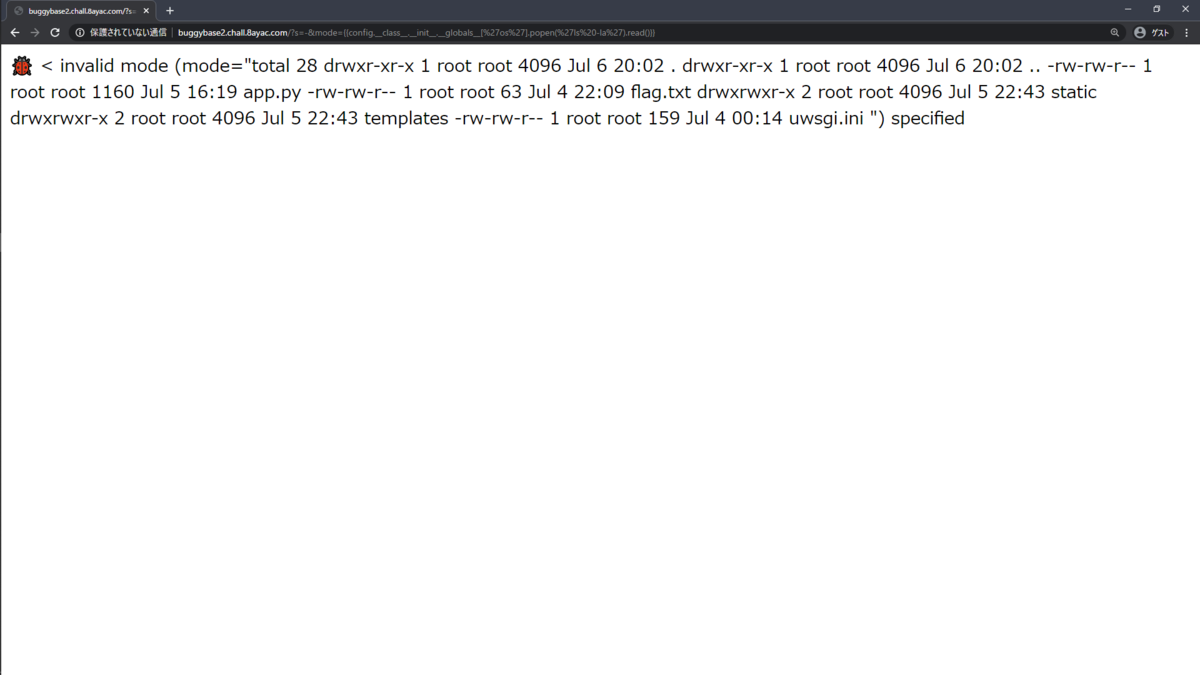
If the output is hard to read, adding <pre> at the beginning of the payload and <!-- at the end makes it easier to view.
Running cat flag.txt to inspect the contents of flag.txt then displayed the flag.
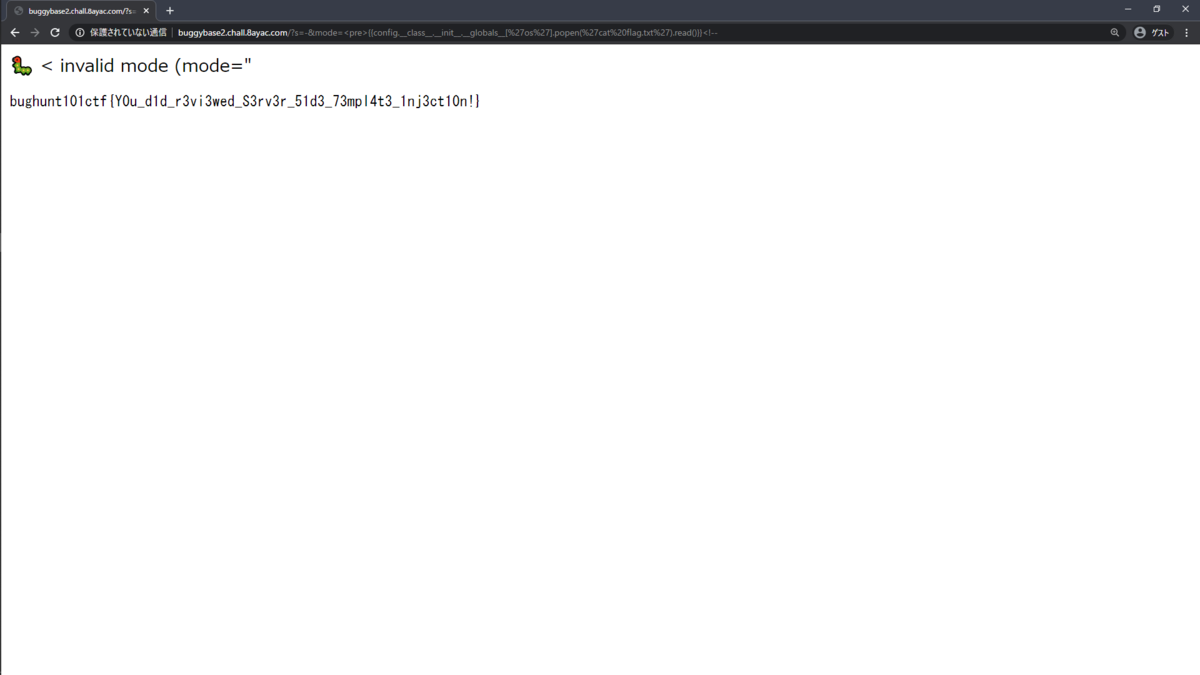
Flag
bughunt101ctf{Y0u_d1d_r3vi3wed_S3rv3r_51d3_73mpl4t3_1nj3ct10n!}
Afterword
This challenge was a variation of buggybase, which we had covered in detail during the course.
The difference from the original buggybase was the point where the payload could be injected.
In the original, entering a string that fails Base64 decoding into the home page form and clicking Decode would display an error page.
In buggybase2, the URL parameter mode had to be manipulated to reach that page, which may have made it a little harder.
Since we had already covered the topic in the course, I rated it Medium.
[Web Hard (0/40teams solved)] SSRF101
Challenge description
I want to understand SSRF perfectly, you know?

http://ssrf101.chall.8ayac.com/

Attachment: app.py
Overview of the challenge application
Opening the URL in the challenge description displays the following page.
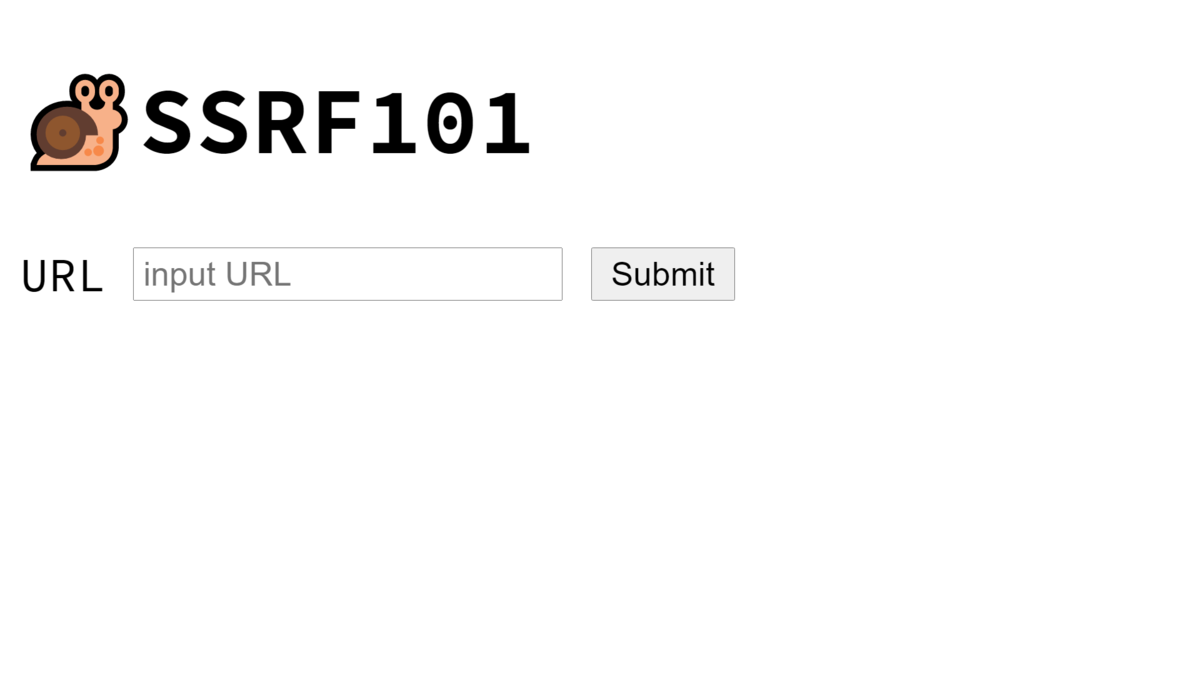
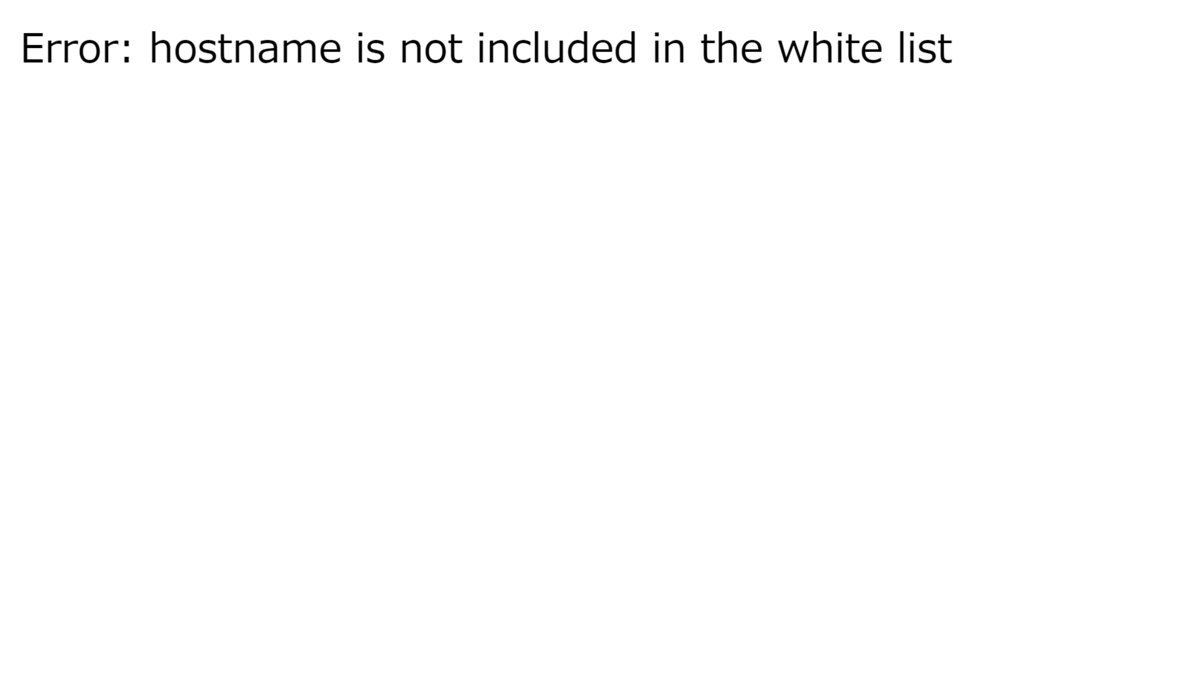
The form says inputURL, so let's try entering http://example.com and clicking Submit.
This produces the error hostname is not included in the white list.
The hostname in the supplied URL appears to be checked against a predefined allowlist.
Now let's look at the supplied app.py.
from urllib.parse import urlparse
from urllib.request import urlopen

from flask import abort, Flask, render_template, render_template_string, request

app = Flask(__name__)


@app.route('/', methods=['GET'])
def get_index():
    return render_template('index.html')


@app.route('/', methods=['POST'])
def post_index():
    url = request.form['url']

    whitelist = ['shemhazai', 'ssrf101', 'nginx']
    if urlparse(url).hostname not in whitelist:
        abort(500, description='hostname is not included in the white list')

    return render_template('index.html', result=get_url_content(url))


@app.errorhandler(500)
def internal_server_error(e):
    tmpl = 'Error: {{err}}'
    return render_template_string(tmpl, err=e.description), 500


def get_url_content(url: str) -> str:
    try:
        res = urlopen(url)
        return res.read().decode()
    except Exception as e:
        abort(500, description=e)


if __name__ == '__main__':
    app.run()
Reading it gives the following summary of the application's features.
GET /: Home page- Contains a form for entering a URL.
POST /: Opens and displays a URL- Opens the URL specified in the POST parameter
urlusing urlopen and displays the response. - The hostname must be one of
shemhazai,ssrf101, ornginx(see the allowlist on line 18 of app.py).
- Opens the URL specified in the POST parameter
Solution (approach)
Step 1: Try http://{an allowed host}/
First, try submitting a URL such as http://{an allowed host}/ through the home page form.
HTTP and HTTPS are common URI schemes, so they are a natural place to start.
Trying the URLs reveals the following hint when http://shemhazai/ is used.
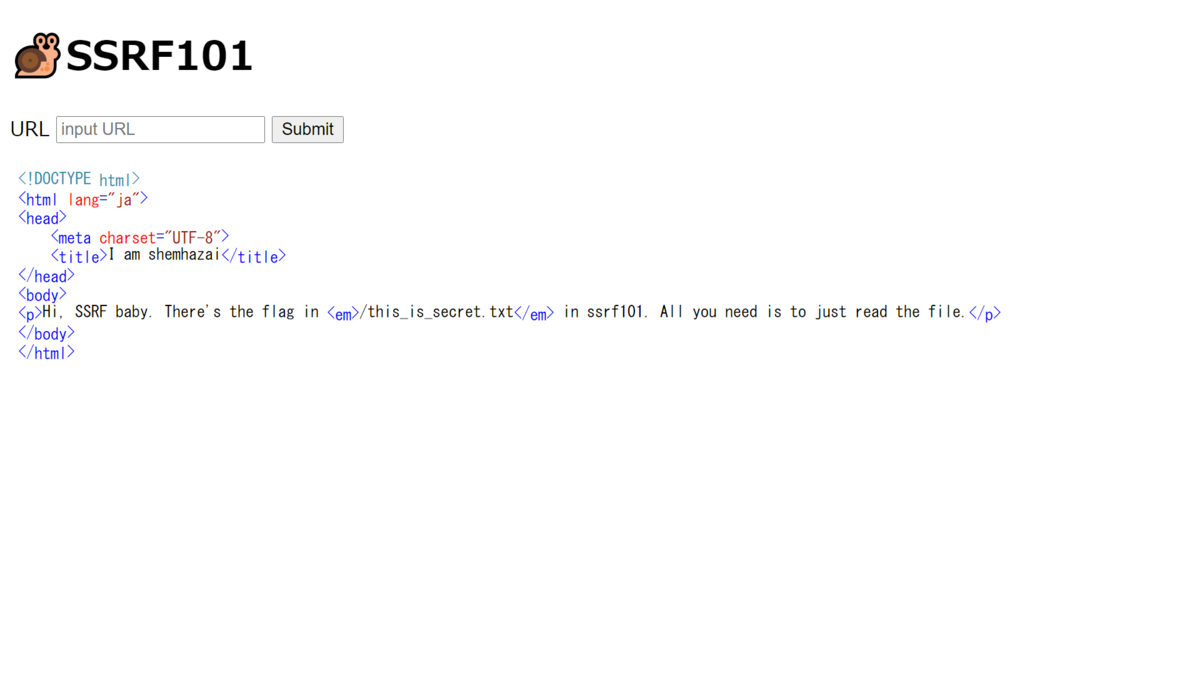
The hint suggests that the flag is in /this_is_secret.txt on the host ssrf101, and that we just need to read that file.
Step 2: Read /this_is_secret.txt
The file scheme (file://)1 can be used to read files on the server.
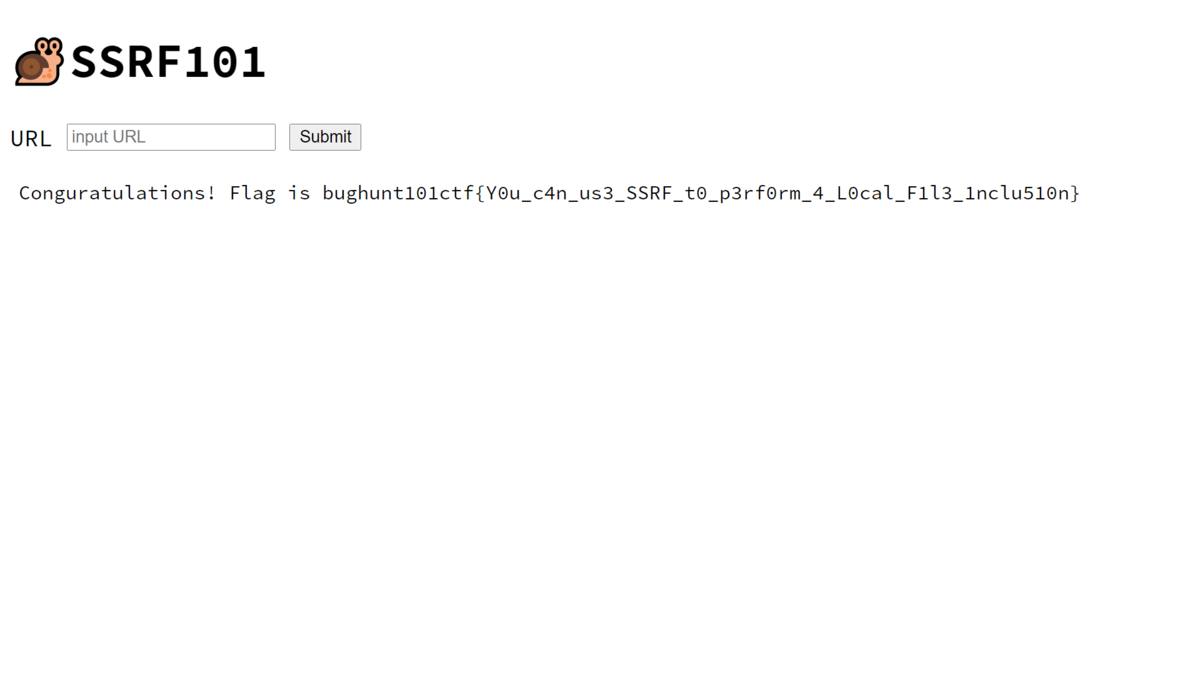
Since we want to read /this_is_secret.txt on ssrf101, asking the application to open file://ssrf101/this_is_secret.txt looks promising.
Submitting file://ssrf101/this_is_secret.txt through the form displayed the flag as follows.
Flag
bughunt101ctf{Y0u_c4n_us3_SSRF_t0_p3rf0rm_4_L0cal_F1l3_1nclu510n}
Afterword
We had briefly covered the basic principles of SSRF in the course. We had not covered LFI using the file scheme, but I designed the challenge around information that could be found through Google. For example, the first result when I searched for "SSRF read file" while writing the challenge included this statement.
i was able to read internal files from file:/// scheme.
I expected participants to solve it by putting GIYF (Google Is Your Friend), which we had discussed in the course, into practice. I may have misjudged the difficulty.
Considerations when writing the challenges
I kept the following points in mind to make the challenges approachable for beginners.
First, I designed every challenge to be solvable with only the application's source code (app.py) distributed. I thought too many files would confuse beginners. However, providing the Dockerfile and docker-compose.yml might have made the challenges easier to solve.
I also imposed a limit of 100 lines on each application's source code. This was another measure for beginners, although fewer lines do not necessarily make a challenge easier.
I made every challenge solvable in a browser without a local proxy tool. We had not covered how to use local proxy tools during the course. I expected troubleshooting support to be difficult online, so we did not use them throughout the course.
Overall review
The actual solve counts suggest that many of the challenges were difficult for the participants. I suspect quite a few people found the vulnerabilities but could not get as far as exploiting them. The course spent plenty of time on how to think about finding vulnerabilities, but did not explain in detail how they are actually used or abused. That seems likely to have played a part.
On the other hand, several participants said that it was their first CTF and that solving a challenge felt rewarding.
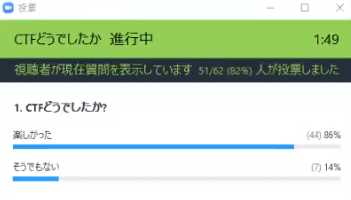
I had less than a week to prepare, and handled the challenge and scoreboard servers on my own as well as writing the challenges. It was all new to me, but the event ran without any particular problems. The private setting and the participants' good conduct helped.
Thoughts
今日で8コマ分全部終わった。ラストはCTF形式で演習をやってもらいました!自分が用意した環境で、自分が作った問題解かれるのは楽しいですね。(ところで、講義全体を通して、教える側としても色々と勉強させてもらったなあ🤔) pic.twitter.com/nn52CNXER8
— 8ayac(Yoshinori Hayashi) (@8ayac) July 8, 2020
Footnotes
1 Reference: RFC 8089 - The "file" URI Scheme